War in Spain - Review of Elements of the User Interface/User Experience
By Joe Wilkerson
Project Leader
War In Spain 1936-1939
Three Map Views
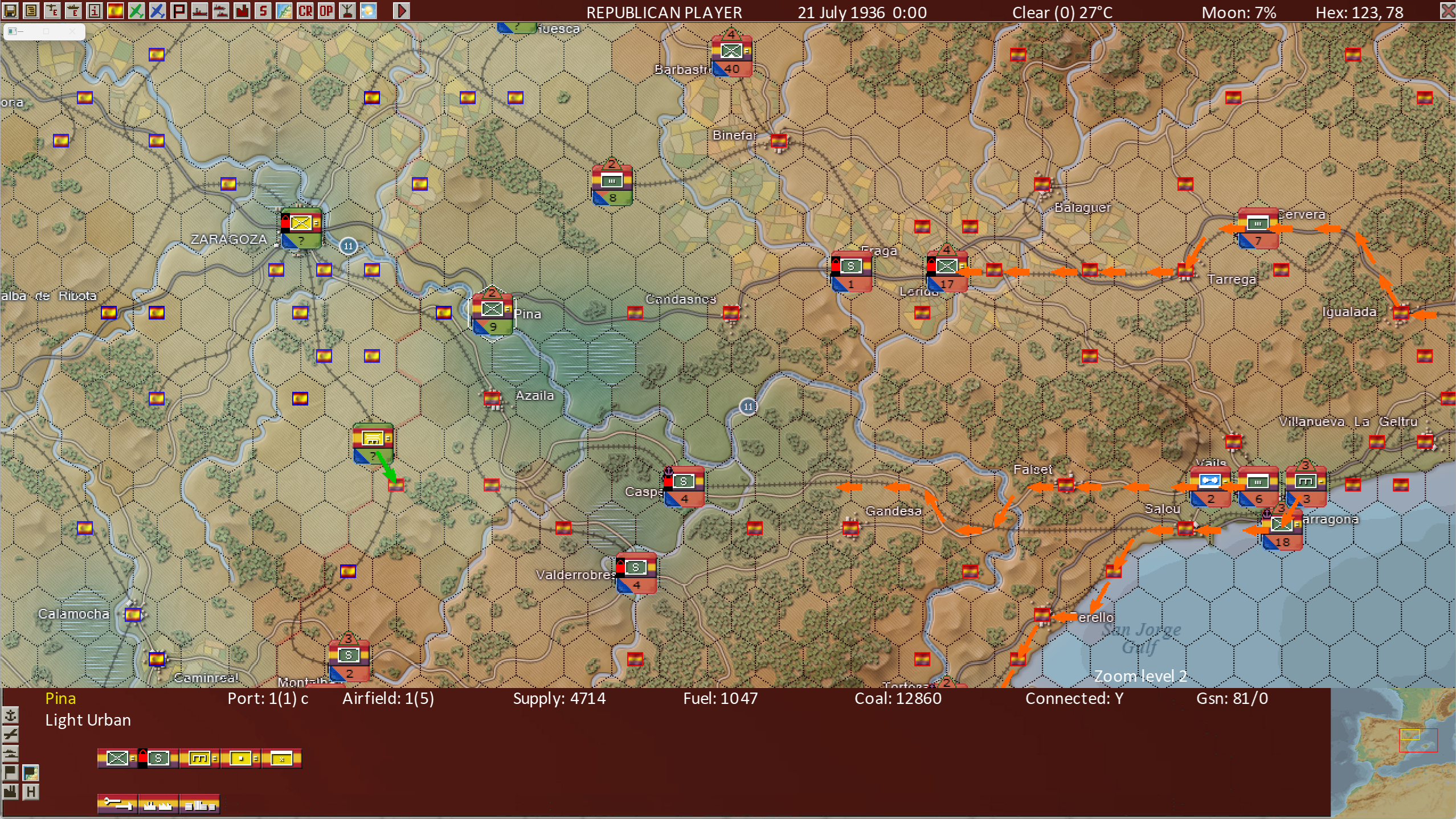
In War In Spain we have a “legacy” view that resembles that of War in the Pacific - Admiral’s Edition.
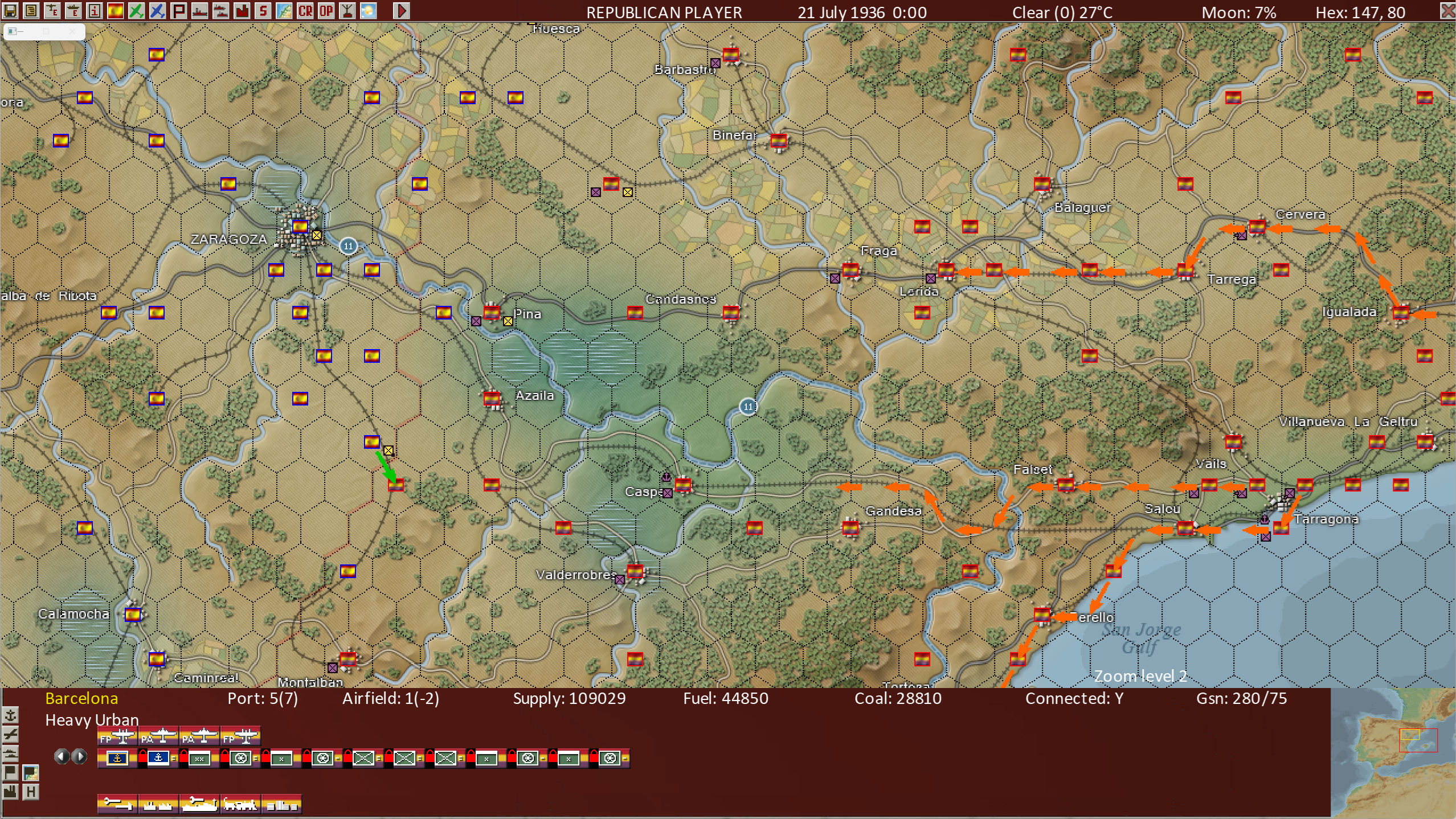
Both War In Spain 1936-39and War in the Pacific - Admiral’s Edition are “dual occupancy: hex games, meaning it is normal for units from both sides to be in the same hex, whereas games like War in the East 2 are “single occupancy” meaning normally only units from one side or the other may be in the hex. Hence above you see in the town of “Pina” near the center of the above screen shot, units from both sides are in the hex. This legacy view shows unit counters from both sides (purple and yellow) in the Pina hex.
In War in Spain we also have a map view with a rectangle containing an estimate of the Assault Value of the friendly units in the hex.
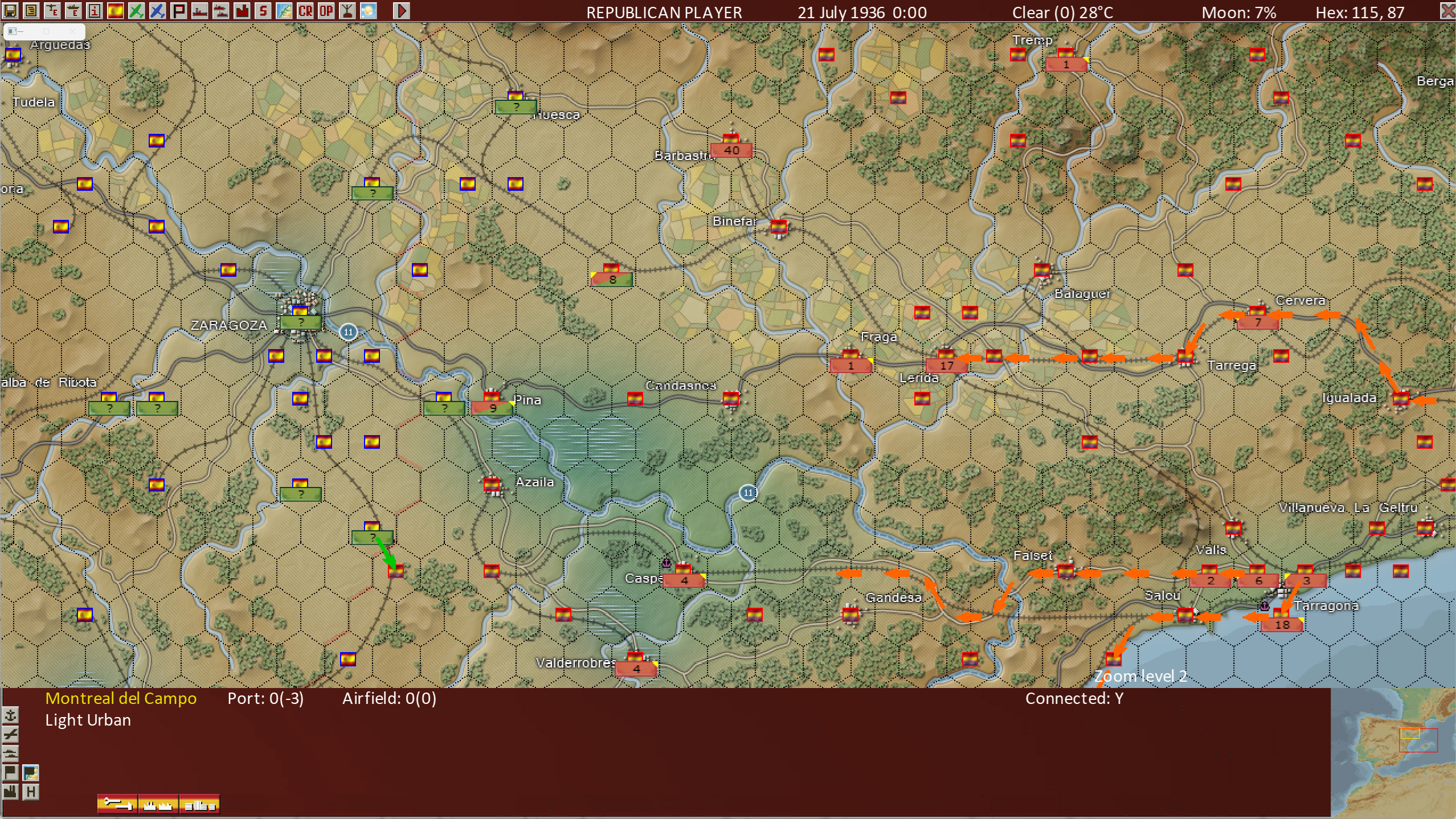
The brick red rectangles are for the Republicans, the Green for the Nationalists. At Pina, which has units from both sides, we see both colors in diagonal areas of the rectangle. The number in the rectangle at Pina is the estimate of the friendly Assault Value.
A third view shows a NATO symbol of the most powerful unit in the hex (friendly unless no friendly units are present).
Three Land Unit Orders Views
As to giving orders to land units, we also have three views.
The new “sidebar”.
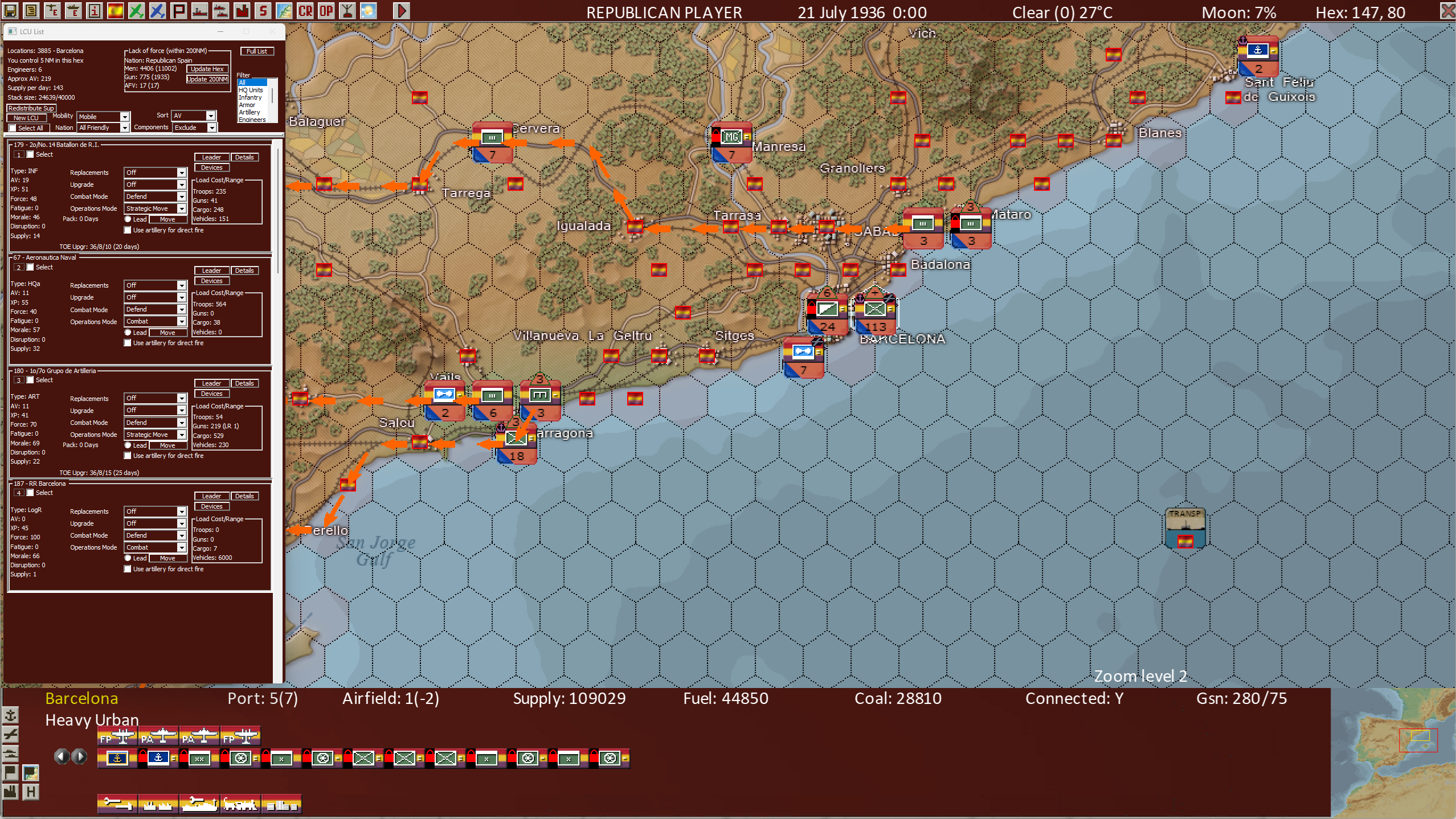
With the sidebar, it's possible to select groups of units from the hex and issue them orders,
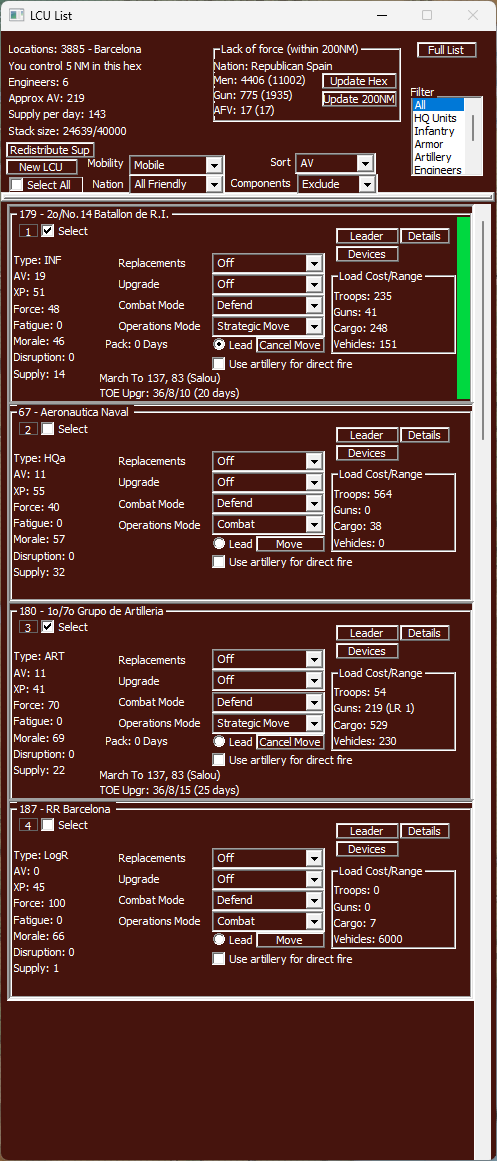
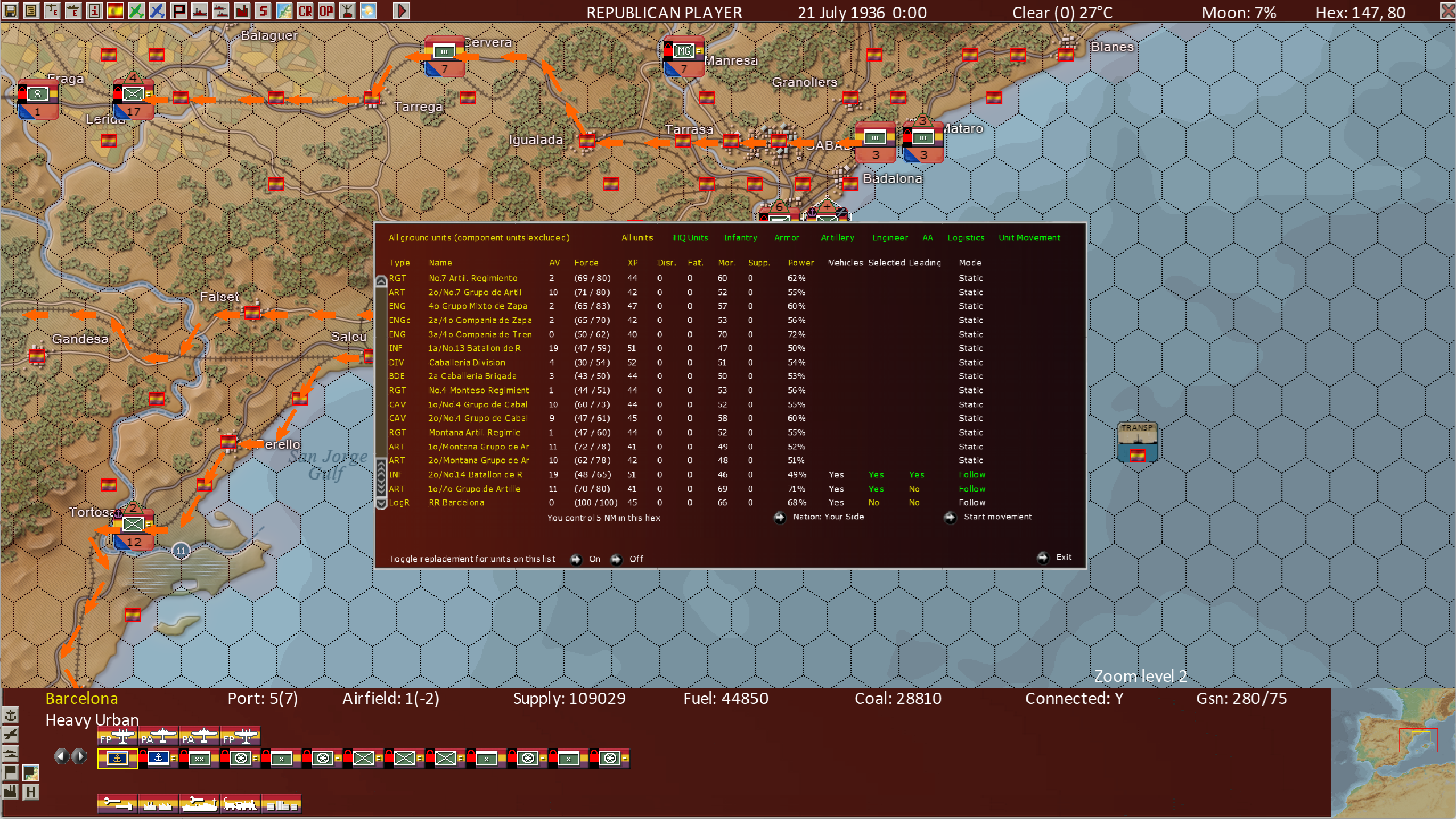
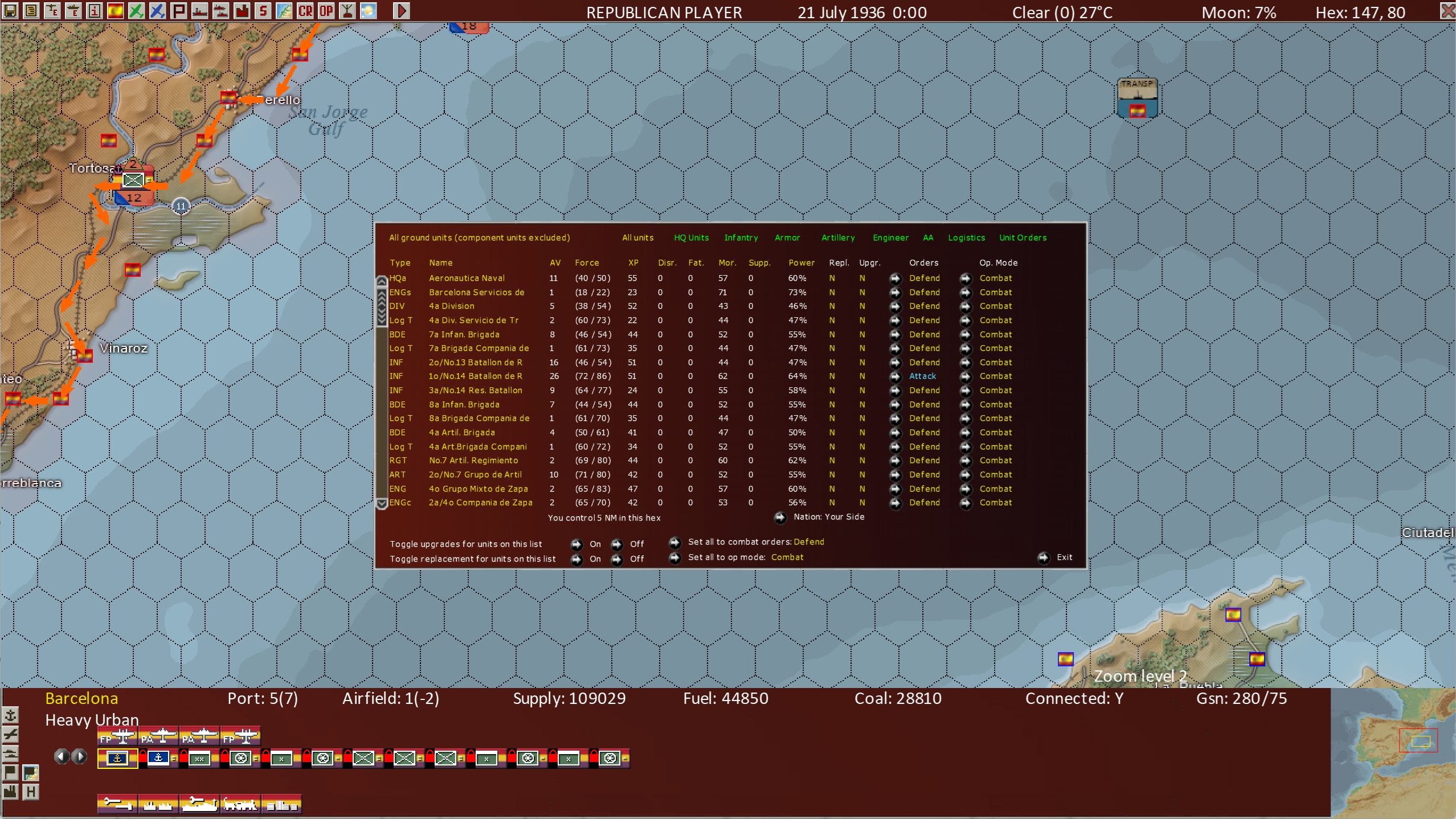
We also have a set of 4 “list views”.
1 - Unit Orders
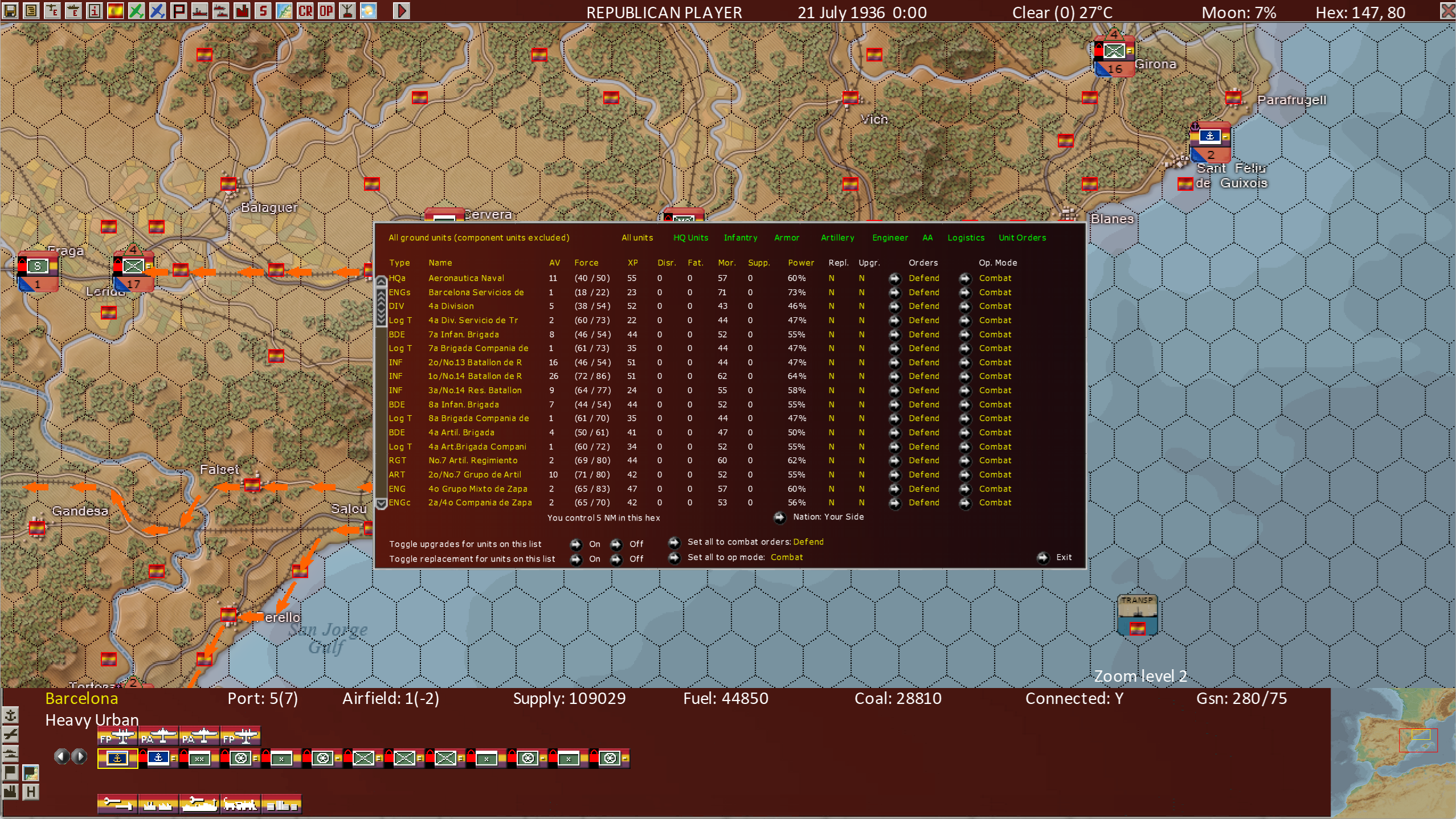
2 - Unit Movement
3 - Unit Overview
4 - Unit Details
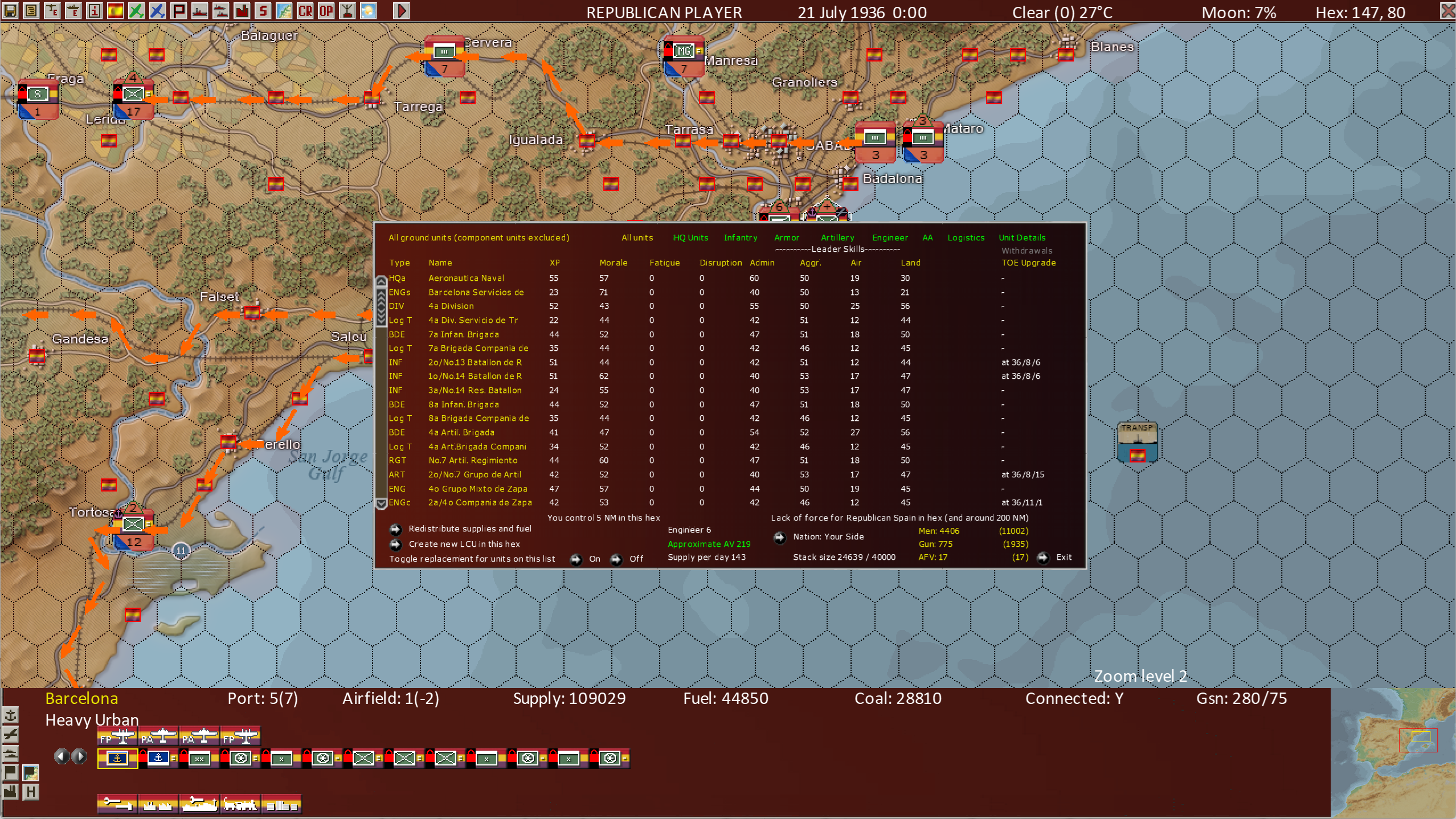
These 4 list screens are most useful when working in hexes with many units in the hex. Barcelona is a key city and will often have 20+ units in it. The list views enable the player to see more units at a time than other views, improving their ability to control large numbers of units.
By using the 4 list screens, it is possible to enter all normally used orders for land combat units. A key advantage of the list view is that it's also possible to enter orders for groups of units. It's even possible to select several different groups of units and give each group different orders.
Also note a “bottom bar” view similar to War in the Pacific - Admiral’s Edition is also present:

The bottom bar has the advantage of showing NATO symbols for all units shown, up to 13 units. So to see more units, we must press the arrow buttons to the left of the Land Unit list.
Last but not least, there is the legacy order entry screen, which bears some resemblance to its War in the Pacific - Admiral’s Edition counterpart, but it is also significantly different.
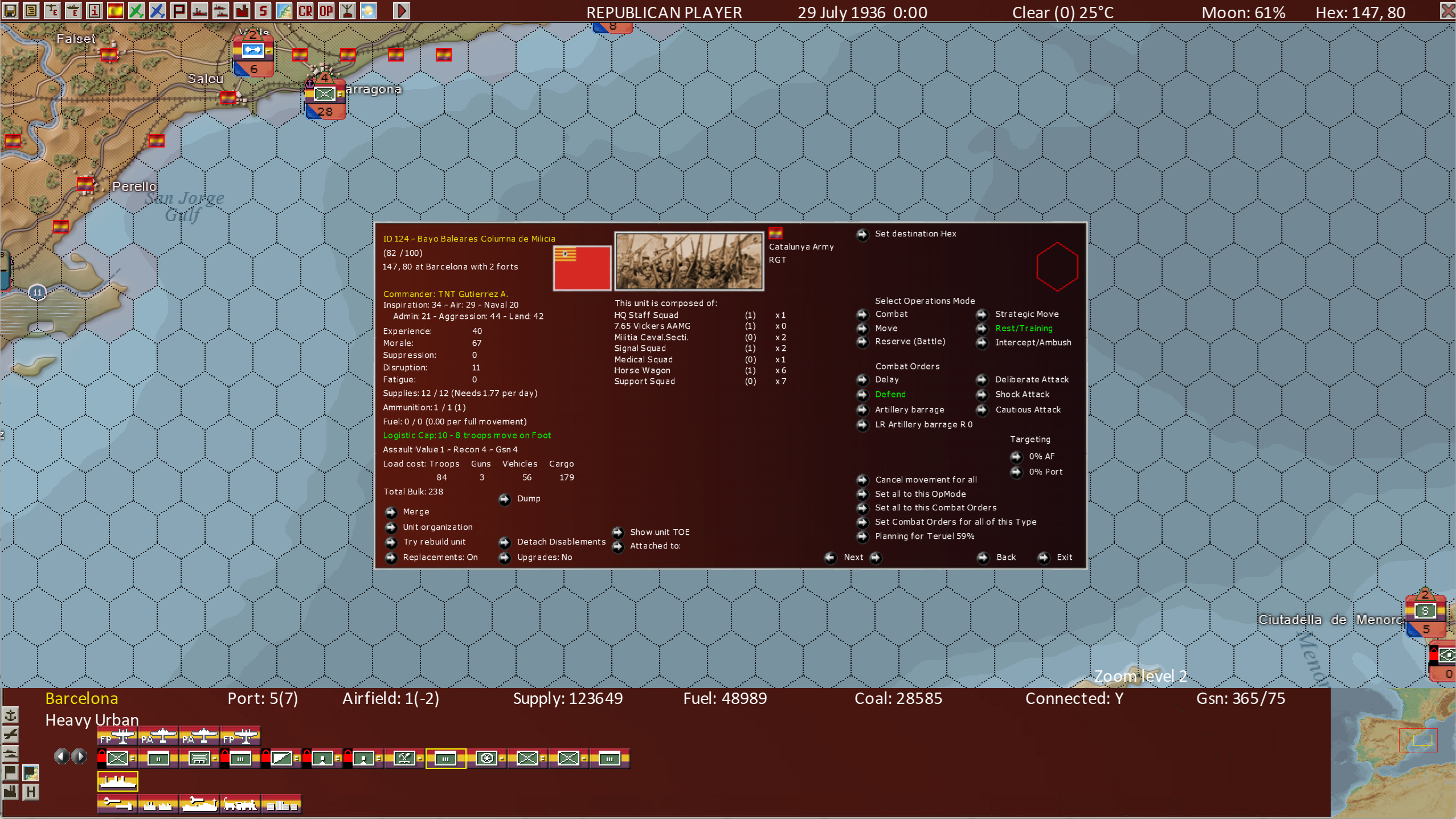
Let’s drill into a few of the significant differences. Note the “unit organization” button on the lower left.
The current unit selected (shown in Green) is the “Bayo Baleares Columna de Milicia” a Militia HQ unit somewhere between a Regiment and a Brigade in size. This one reports up to the “Durruti Sector” a higher level Militia HQ, roughly equivalent to a Division in size.
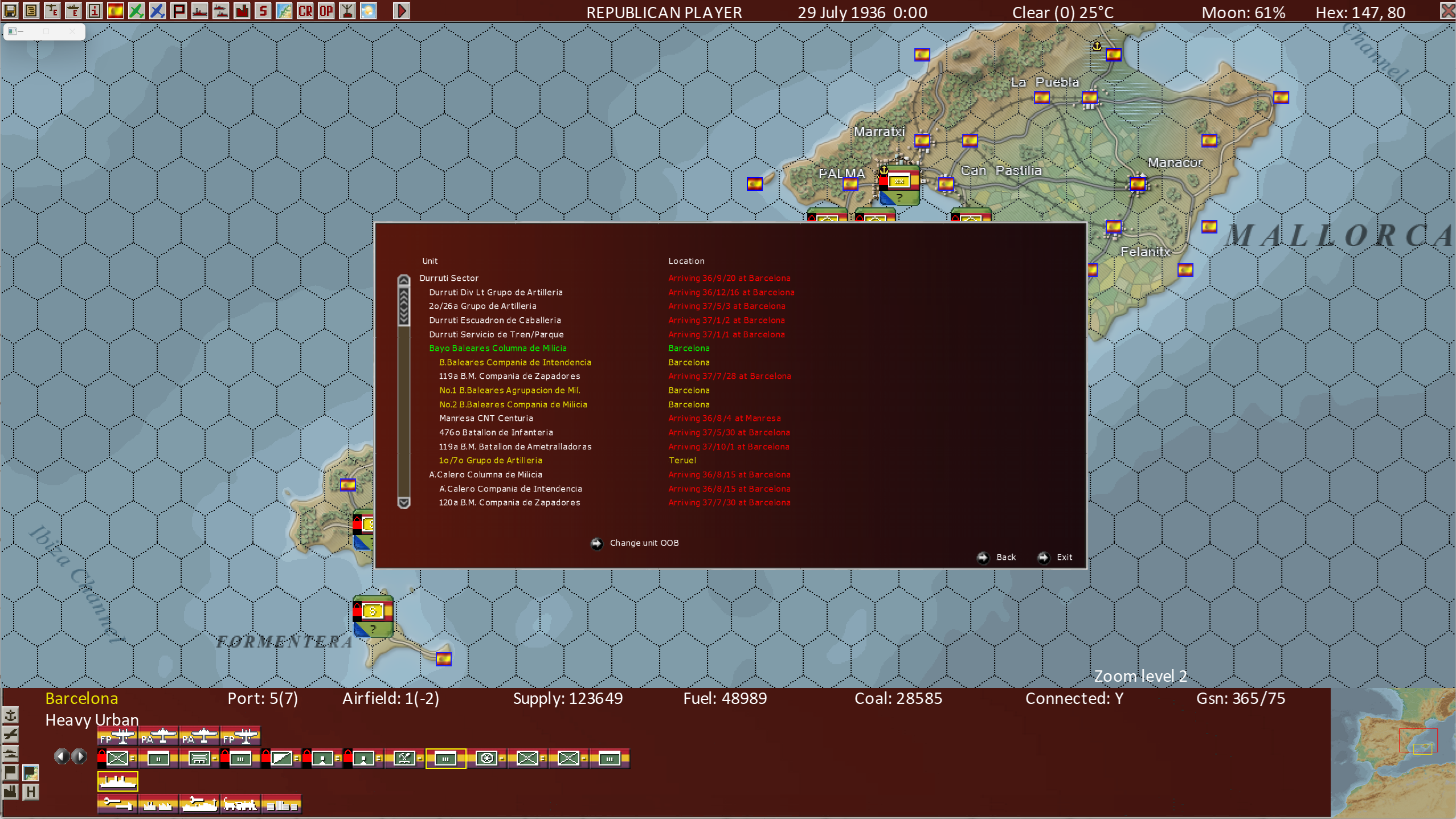
The units highlighted in yellow are on the map. Those in white are not on the map yet, but arrive on the dates shown in red.
This view shows us the entire Order of Battle of the parent unit, the Durruti Sector and the Bayo Baleares Columna de Milicia subordinate units’ Order of Battle as well, as well as which units are on the map and their locations.
Besides the unit HQ, 3 other units are in Barcelona now. Looking back up 2 screenshots above, also in the lower left, we see another button labeled “try rebuild unit”. Pressing that button we see many more entries in the central column of that screen which shows us the device (Table of Organization and Equipment) level view, now of the entire Bayo Baleares Columna de Milicia unit as far as the units in Barcelona.
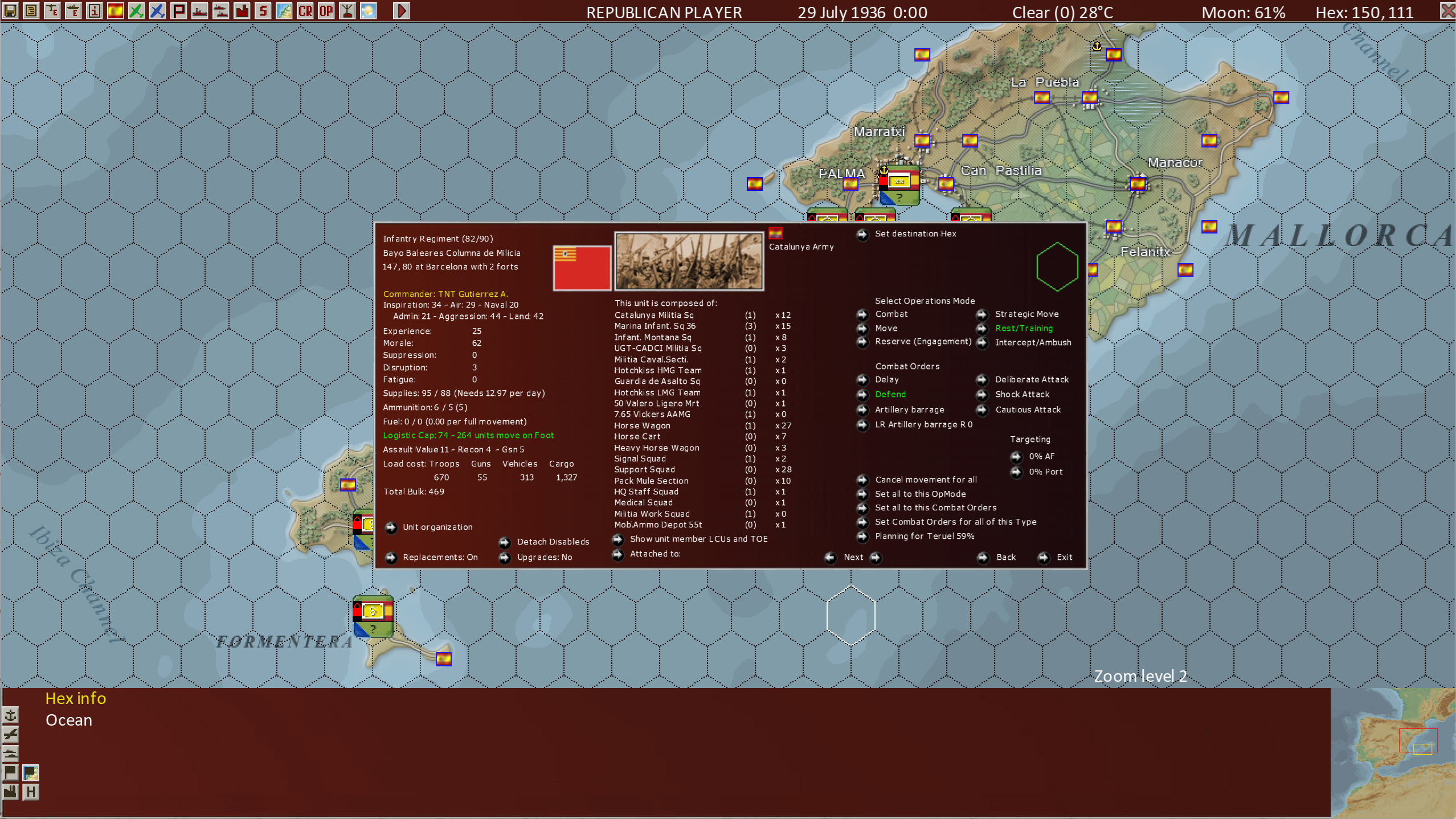
Then, pressing the “Show member Land Combat Units and Table of Organization and Equipment” bottom center, twice, we now see:
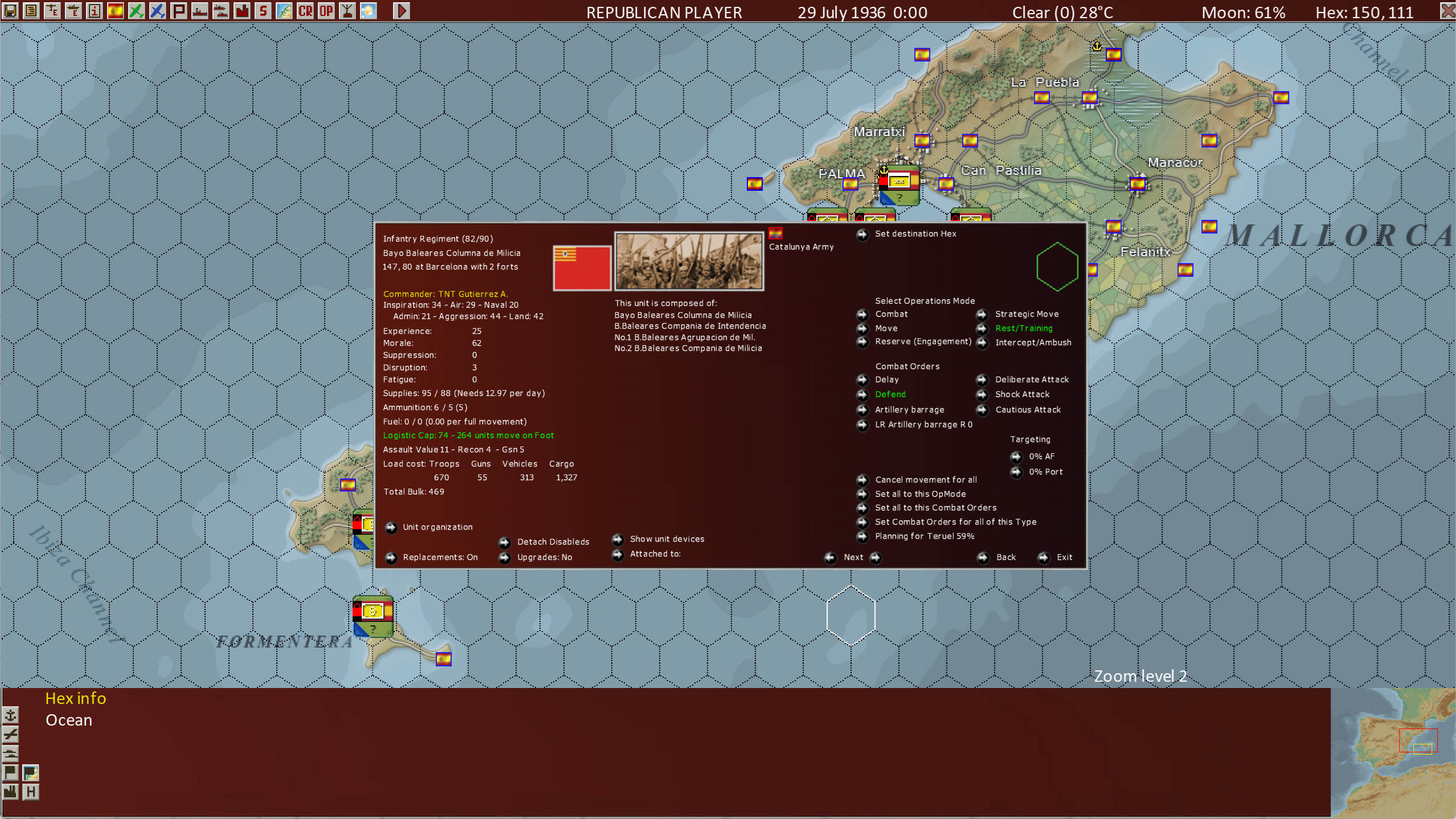
This shows that we have now “built up” the Bayo Baleares Columna de Milicia unit, to include all its component units present in Barcelona. And if we now move this larger unit (now a single unit on the map) to Teruel, where we noticed its artillery unit is located, we can add the artillery unit to this high-level unit as well.
Detailed Order Of Battle
This extended example shows how we can use a few of the new features of the “legacy” Land Combat Unit order entry screen to manage larger level units in the game. This example shows further that War in Spain has a much richer representation of land unit organizations than War in the Pacific - Admiral’s Edition. In Admiral’s Edition, we had divisions and independent brigades, but in general, those could only break down and build up from generic elements, not actual historical Order of Battle elements. War in Spain directly represents all subordinate units of divisions and brigades down to the battalion and independent company level. This is a big change as far as historical accuracy and player flexibility. Thus, War in Spain is more different than it is the same compared to War in the Pacific - Admiral’s Edition as this example shows!
We hope you enjoy all these new features of War in Spain and look forward (with us) towards other titles in this new series we expect to release in the future!
WISHLIST THE GAME.